Custom voice commands
Numbers, colors, directions, punch labels and mic-recorded samples — with TTS speed control.
Voice sparring partner
A voice-called sparring partner that fires real combos and reaction drills in real time — for boxing, kickboxing, MMA and fitness. Build your own rounds, combos and voice cues.
Also works as a boxing and MMA interval and round timer with voice commands.

Start free. Upgrade to Pro or Coach when you need more trainings, custom commands, and advanced callouts.
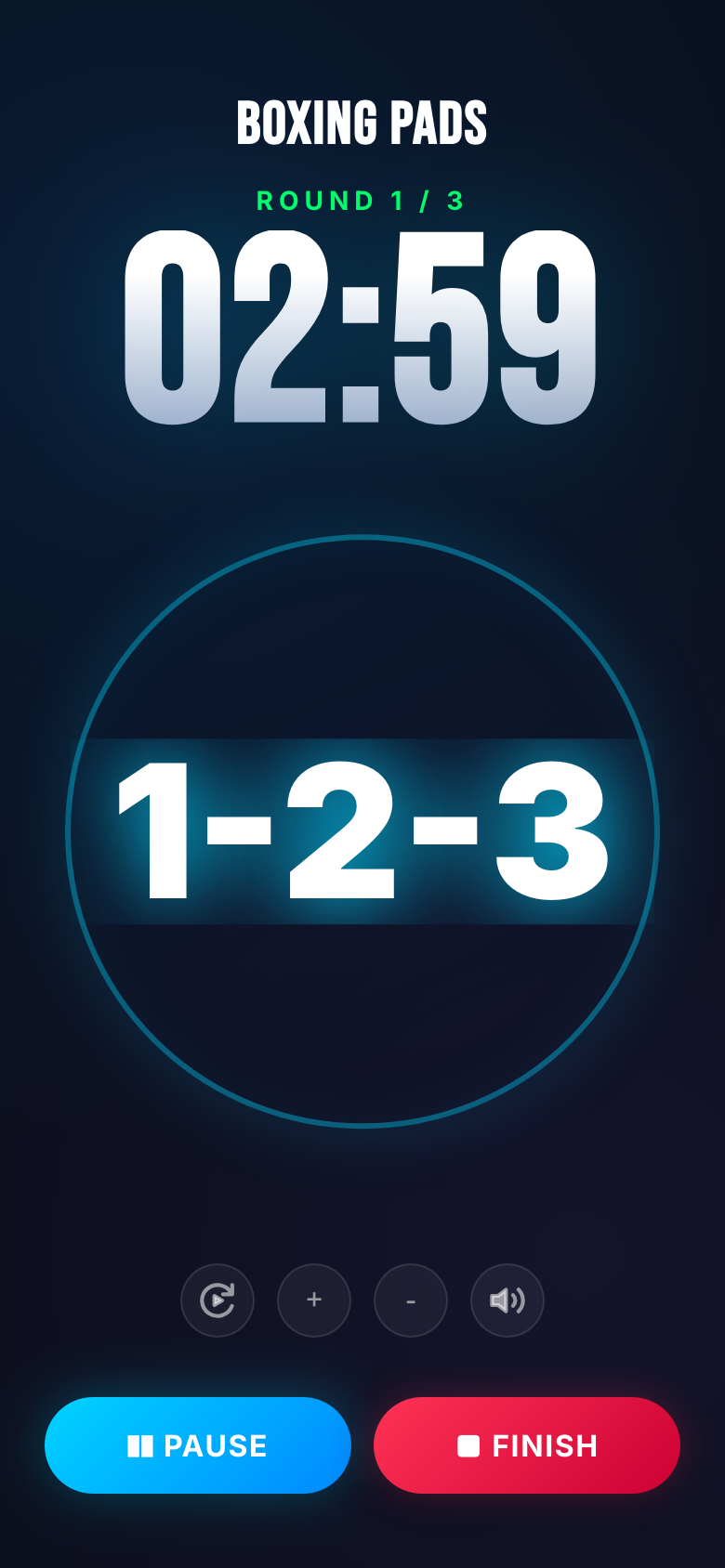
Live session — big commands while the round clock runs.
Set prep, rounds, rest and warning times. Add the signals you want called — punches, colors, directions or your own labels.
Pick fixed or random intervals, block consecutive repeats, stack combos, and choose TTS or your recorded voice.
Start the session: big commands, beeps, optional flash/flashlight, pause and skip — screen stays awake until you finish.
Real screens from the phone — session, home and the workout builder.
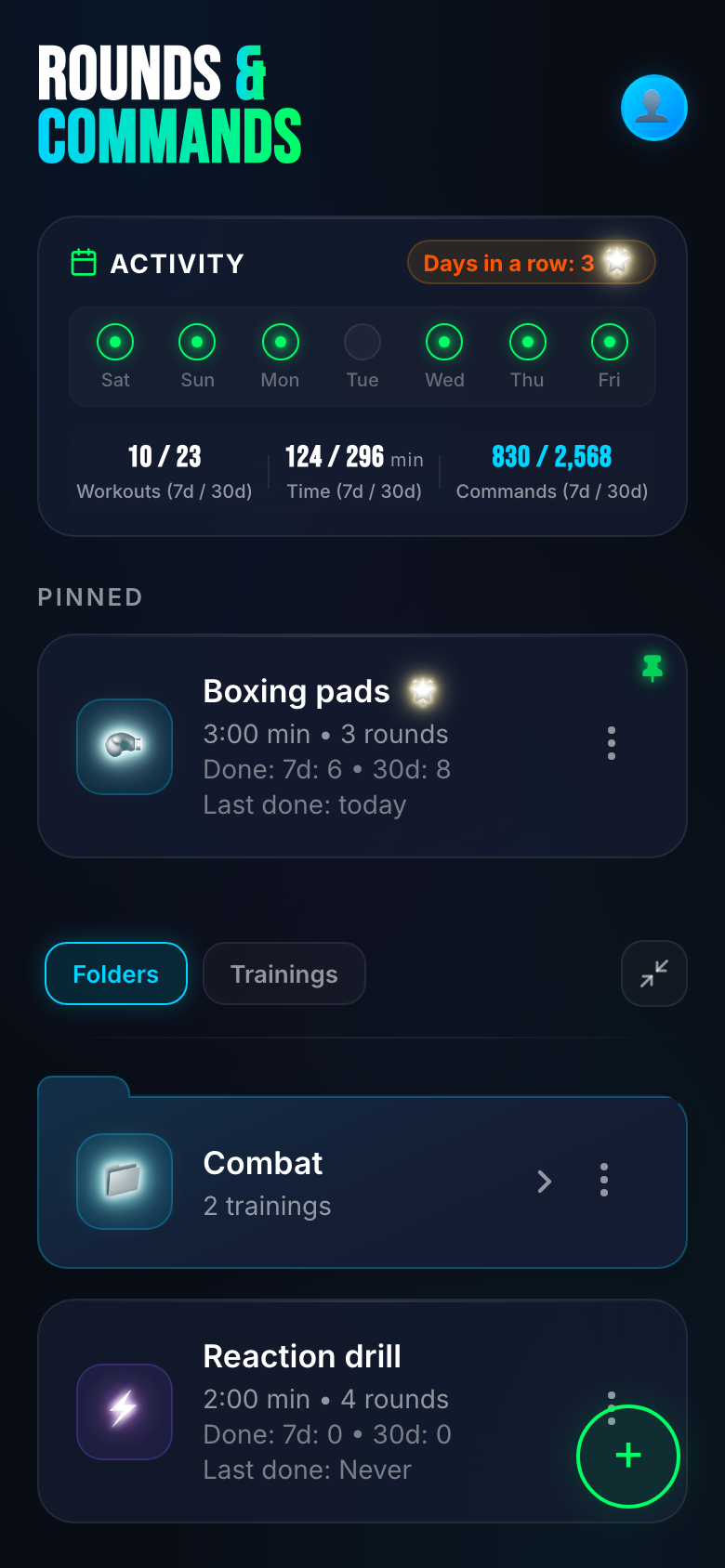
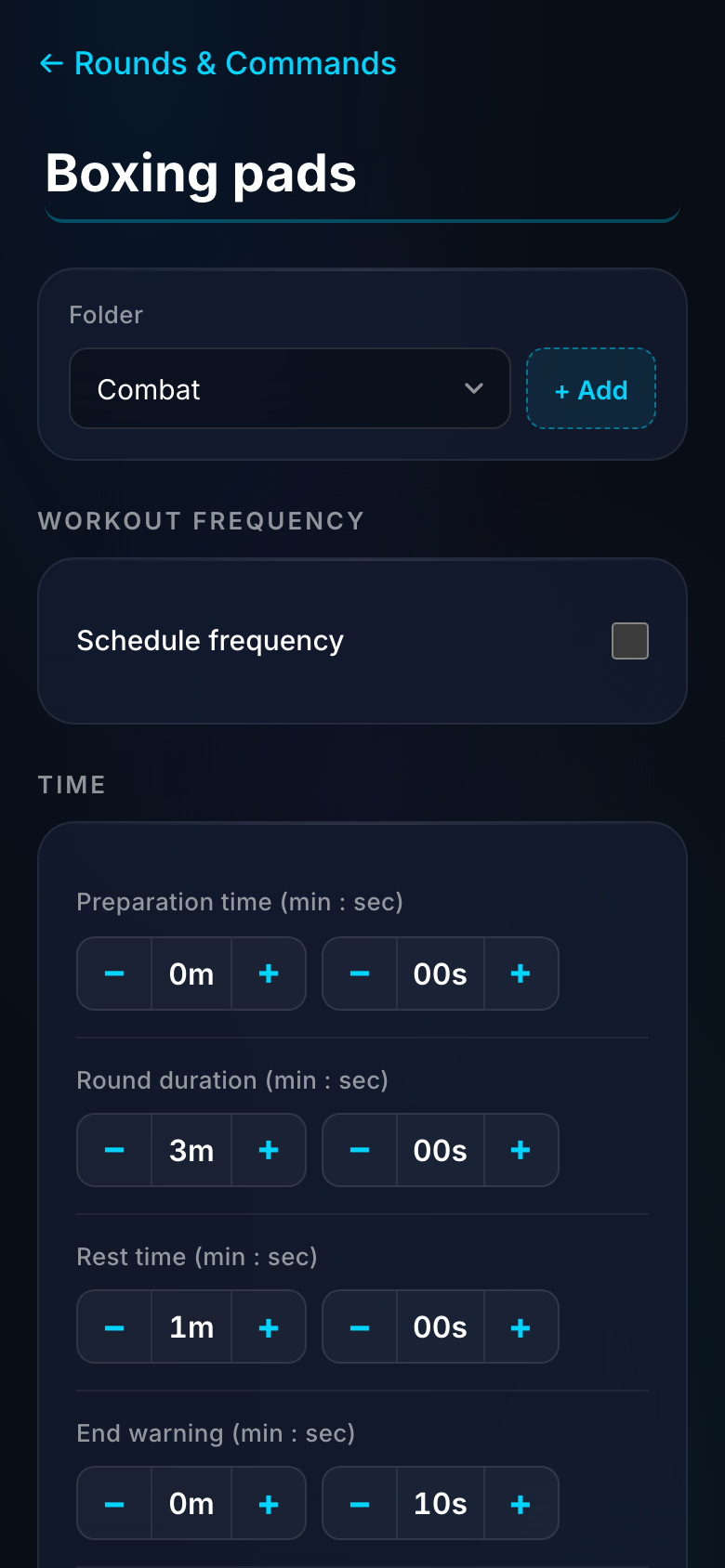
Voice callouts, rounds, randomizer, sharing and offline training — ready to use.
Numbers, colors, directions, punch labels and mic-recorded samples — with TTS speed control.
Prep, round, end-warning and rest — tuned for boxing, MMA or any fitness interval work.
Fixed or random callout gaps, no consecutive repeats, unique-in-combo rules and shuffle coverage.
Single signals, multi-hit groups, cross-category mixes with exclusions, or ordered scenarios.
Full-screen workout UI with pause, skip, mute, large command display, beeps and wake-lock.
On-screen flash modes and optional device flashlight synced to every command.
Per-workout looks: dark, light, high-contrast outdoor and neon — pick what stays readable in the gym, sun or low light.
Streak, workouts, time and commands over 7–30 days — plus schedule filters for what is due.
Send a training or category via link and QR; import on another device by camera or image.
Train without internet as an installable PWA, or get the native Android app on Google Play.
UI in several languages; training voice can target sport locales such as Muay Thai or BJJ.
Get it on Google Play, open the web app in the browser, or install it to your home screen as a PWA.
Point your phone camera at the QR code to install from Google Play.
Now on Google Play · also runs as a Web PWA
Launch in Safari or Chrome and use every feature — builder, voice, rounds and live session. No install required.
Get it on Google Play and tap Install — updates come through Play automatically.
No. Training runs fully offline. Internet is only needed if you choose to sync an account.
Yes — open the web app in Safari and add it to your Home Screen. It then opens full-screen like a native app.
Yes. Free includes core training with built-in commands. Pro and Coach unlock higher limits for custom content and advanced callouts.
Yes. Rounds & Commands is a fight coach that also works as a boxing, kickboxing and MMA interval and round timer. Set prep, round length, an end warning and rest — the voice coach calls combos and cues while the round clock runs.
Yes. During each round the voice coach calls punches, combos and reaction cues, with beeps and your own commands. It is a sparring coach and a round timer in the same session, not a silent clock.
Open the app in your browser or get it on Google Play — start free, upgrade when you need more.